
The best calorie tracker app for GLP-1 users in the UK is Cronometer. Not because it’s the flashiest or most popular, but because it tracks the things that actually matter when you’re on Mounjaro or Wegovy: verified micronutrient data, protein targets by body weight, iron, zinc, B12, and the 80+ other nutrients that GLP-1 users are most likely to fall short on when appetite drops. This is an honest comparison of the main options, why Cronometer wins for this use case, and exactly how to set it up.
For context on why nutrition tracking matters on GLP-1s: What to Eat on Mounjaro UK and How to Get Enough Protein on GLP-1 UK.
Why tracking matters more on a GLP-1
On a normal diet, eating less usually means you’re still eating broadly representative proportions of different nutrients. On a GLP-1, you might eat 40–60% fewer calories than before — and those remaining calories need to do a lot of heavy lifting nutritionally.
The common gaps that tracking catches:
- Protein — most users fall below the 1.2–1.6g per kg target without realising it
- Iron — particularly in women; reduced red meat intake plus lower total food volume creates deficiency risk
- B12 — reduced animal product intake on a smaller appetite; important for energy and nerve health
- Zinc — linked to hair loss, taste changes, and immune function; easily depleted on GLP-1s
- Magnesium — commonly low in the UK population generally; worse on reduced food volume
- Calcium — if dairy has dropped from diet
- Fibre — GLP-1 slows digestion; insufficient fibre worsens constipation significantly
A tracker that only shows calories and macros misses most of this. Cronometer shows all of it.
The main options compared
MyFitnessPal
The most popular app globally. Enormous food database (20 million+ entries) with barcode scanning. But the database is largely user-submitted, which means significant inaccuracy — the same food can have wildly different calorie and macro counts depending on which user logged it. For GLP-1 users who need accurate micronutrient data, this is a real limitation. Free version has adverts and limited functionality; the premium subscription has expanded since 2023.
Best for: casual calorie awareness, people who eat a lot of branded packaged foods with barcodes.
Not ideal for: accurate micronutrient tracking, GLP-1 users managing specific nutritional deficiencies.
Nutracheck
UK-focused with a large database of UK supermarket products. Popular on NHS weight loss programmes. Good for straightforward calorie counting. Limited micronutrient depth compared to Cronometer. Subscription-based with no meaningful free tier.
Best for: UK users who want a simple, NHS-compatible calorie tracker.
Not ideal for: detailed nutritional analysis beyond calories and basic macros.
Lose It!
Clean interface, good barcode scanning, reliable calorie data. More focused on weight loss tracking than nutritional completeness. Popular in the US; UK food database is less comprehensive. Free version is functional.
Best for: clean UX and calorie tracking simplicity.
Not ideal for: GLP-1-specific micronutrient monitoring.
Cronometer
Built around verified nutritional data from authoritative sources (USDA nutrient database, Canadian Nutrient File, and others). Every entry is quality-checked — you won’t find five different entries for “chicken breast” with varying protein counts. Tracks 84 individual nutrients including all the ones GLP-1 users need to monitor: iron, zinc, B12, folate, magnesium, calcium, potassium, all amino acids, all fatty acids.
Free version covers everything most users need. The Gold subscription adds features including food trends over time, blood test syncing, advanced nutrient targets, and ad removal.
Best for: GLP-1 users, anyone managing specific nutritional deficiencies, people eating highly varied whole foods.
Not ideal for: users who need the absolute largest packaged food database or the most casual experience.
What makes Cronometer different in practice
The database accuracy gap
A concrete example: log “100g chicken breast” in MyFitnessPal and you’ll see 8–12 different options with protein ranging from 21g to 32g per 100g — a 50% variance. In Cronometer, you get one verified entry derived from lab analysis: 31g protein per 100g raw. When you’re trying to hit a precise protein target on a GLP-1-reduced appetite, that accuracy matters.
Micronutrient tracking that actually works
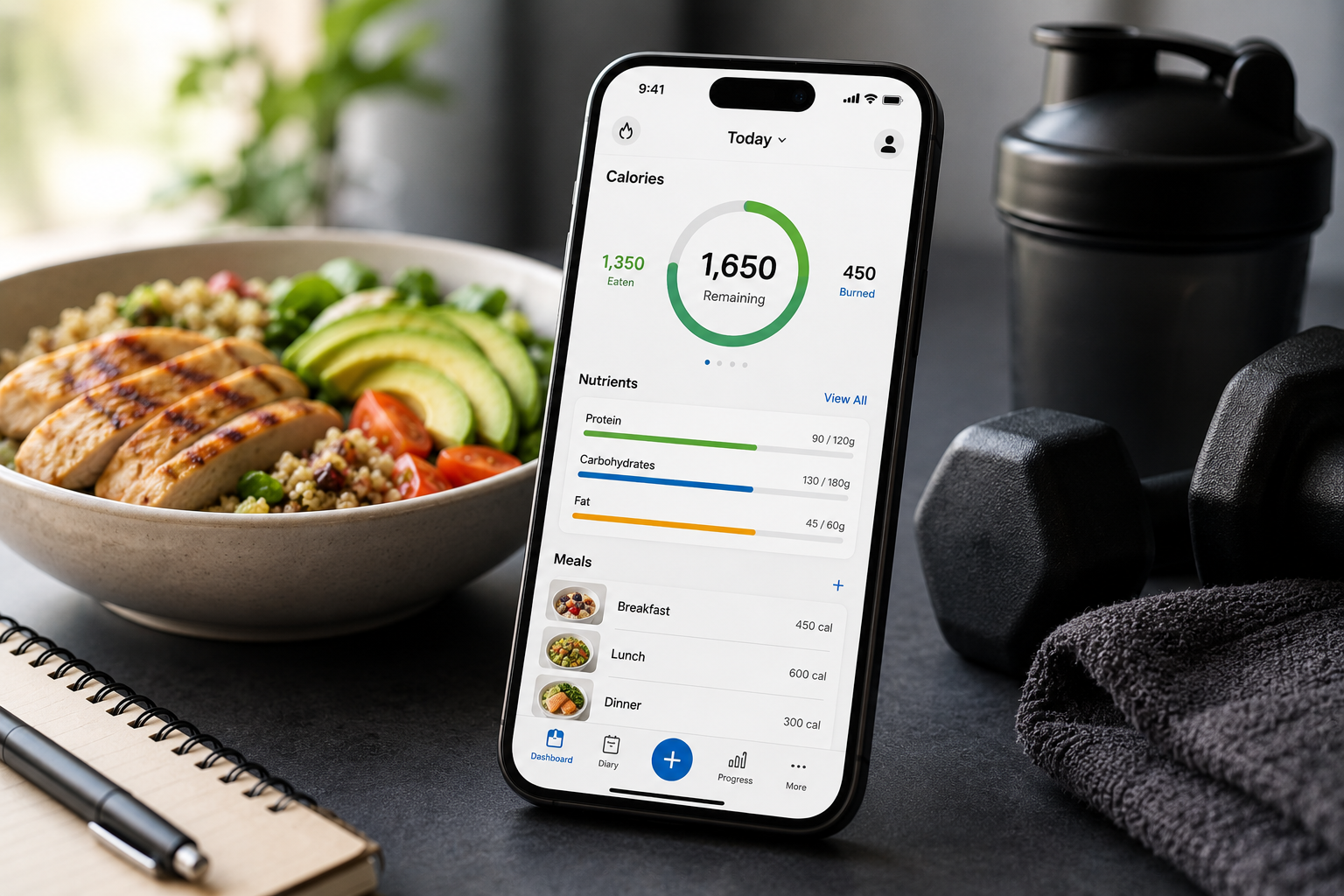
Cronometer’s diary view shows your daily progress toward every nutrient target in real time. A colour-coded bar shows if you’re under, meeting, or over each target. After a few weeks of logging you start to see patterns — maybe you’re consistently low on iron, or magnesium keeps falling short unless you log a handful of nuts. This is actionable data, not just numbers.
Protein targets by body weight
You can set custom protein targets in grams (not just as a percentage of calories). For a 90kg GLP-1 user targeting 1.4g per kg, that’s 126g protein daily — set it in Cronometer and the diary tracks you toward that specific number.
The Gold subscription: is it worth it?
For most users, the free version is sufficient. Gold adds:
- Trends over time — see how your nutrient intake has changed over weeks and months
- Blood test correlation — log your blood results and see how dietary patterns relate
- Oracle meal suggestions — recommends foods to fill specific nutrient gaps
- No adverts
- Advanced energy balance reporting
If you’re actively managing a deficiency (iron, B12, zinc — all common on GLP-1s) or doing a detailed nutrition audit, Gold is worth the cost. For general tracking, free works well.
How to set up Cronometer for GLP-1 use
A step-by-step setup that takes about 10 minutes:
Step 1: Set your goal. Choose “Maintain Weight” rather than aggressive calorie deficit — Mounjaro is already creating your deficit through reduced appetite. Cronometer as a tracker, not a restrictor.
Step 2: Set your protein target manually. Go to Settings → Targets → Protein. Enter your target in grams (current bodyweight in kg × 1.4 is a reasonable starting point). Override the default percentage-based calculation.
Step 3: Review your micronutrient targets. The defaults are based on standard RDAs. For GLP-1 users, pay particular attention to iron, zinc, B12, magnesium, and fibre — these are the most commonly depleted.
Step 4: Log for two weeks straight before making any changes. The first two weeks are diagnostic. You’re not trying to eat perfectly — you’re finding out what your current intake actually looks like. Most users are surprised.
Step 5: Use the barcode scanner for packaged foods. Cronometer’s UK database covers most major supermarket products. For items not listed, the manual entry is straightforward and you can confirm nutritional info from the packet.
Step 6: Log a full day once a week minimum. You don’t need to log every day forever. Once you know your patterns, a spot-check week every month or two catches drift.
UK-specific considerations
Cronometer displays nutrients in metric units by default, which aligns with UK food labels. The app is available on iOS and Android; there’s also a browser version.
UK food database coverage is good but not as comprehensive as US packaged foods. For unbranded whole foods (fish, meat, vegetables) the data is excellent. For some smaller UK supermarket own-brand products, you may need to enter manually from the packet.
The Cronometer affiliate link here gives access to the free version and Gold upgrade — the free tier is genuinely functional and a reasonable starting point before committing to a subscription.
Pairing Cronometer with HelloFresh
One practical combination that works well for GLP-1 users: use HelloFresh for main meals (consistent portion sizes, macro information provided per serving) and log the meals in Cronometer. HelloFresh publishes nutrition data for every recipe, so logging is quick and the protein content of high-protein recipes is reliable.
HelloFresh currently offers 50% off your first box, then 20% off your next four boxes. The Fit & Wholesome and High Protein recipe filters are the most relevant for GLP-1 users. Pair with Cronometer to verify you’re hitting targets rather than assuming.
Frequently asked questions
Is Cronometer free?
Yes. The free version includes full food logging, 84-nutrient tracking, and custom macro targets. Gold adds trends, blood test syncing, and ad-free experience.
Is Cronometer accurate for UK foods?
More accurate than MyFitnessPal for whole foods because the database is verified rather than user-submitted. UK packaged food coverage is good but not exhaustive — manual entry from packet information fills any gaps.
Should I track calories or just protein on Mounjaro?
Track protein as your primary metric. Mounjaro manages calories through appetite suppression — you don’t need to add further calorie restriction on top. Protein tracking ensures you’re not losing muscle alongside fat.
How long should I track for?
Log every meal for the first two weeks to establish your baseline. After that, a full logging week every month is usually enough to catch nutritional drift. During dose-step weeks, a few days of tracking helps confirm you’re eating adequately despite nausea.
Can Cronometer sync with fitness trackers?
Yes. Cronometer integrates with Fitbit, Apple Health, Garmin, and other platforms to import exercise data and adjust energy balance accordingly.
What nutrients should GLP-1 users watch most closely?
Protein (muscle preservation), iron (energy, especially in women), zinc (hair, immunity, taste), B12 (nerve health, energy), magnesium (sleep, muscle function), and fibre (digestive health on slowed gastric emptying).
Disclosure: this post contains affiliate links to Cronometer. If you sign up or upgrade through this link, this site earns a small commission at no cost to you. All opinions are based on genuine use.
This is general nutritional information. Individual dietary needs should be discussed with your prescriber or a registered dietitian.
Discover more from Healthy Weight Loss GLP1
Subscribe to get the latest posts sent to your email.