
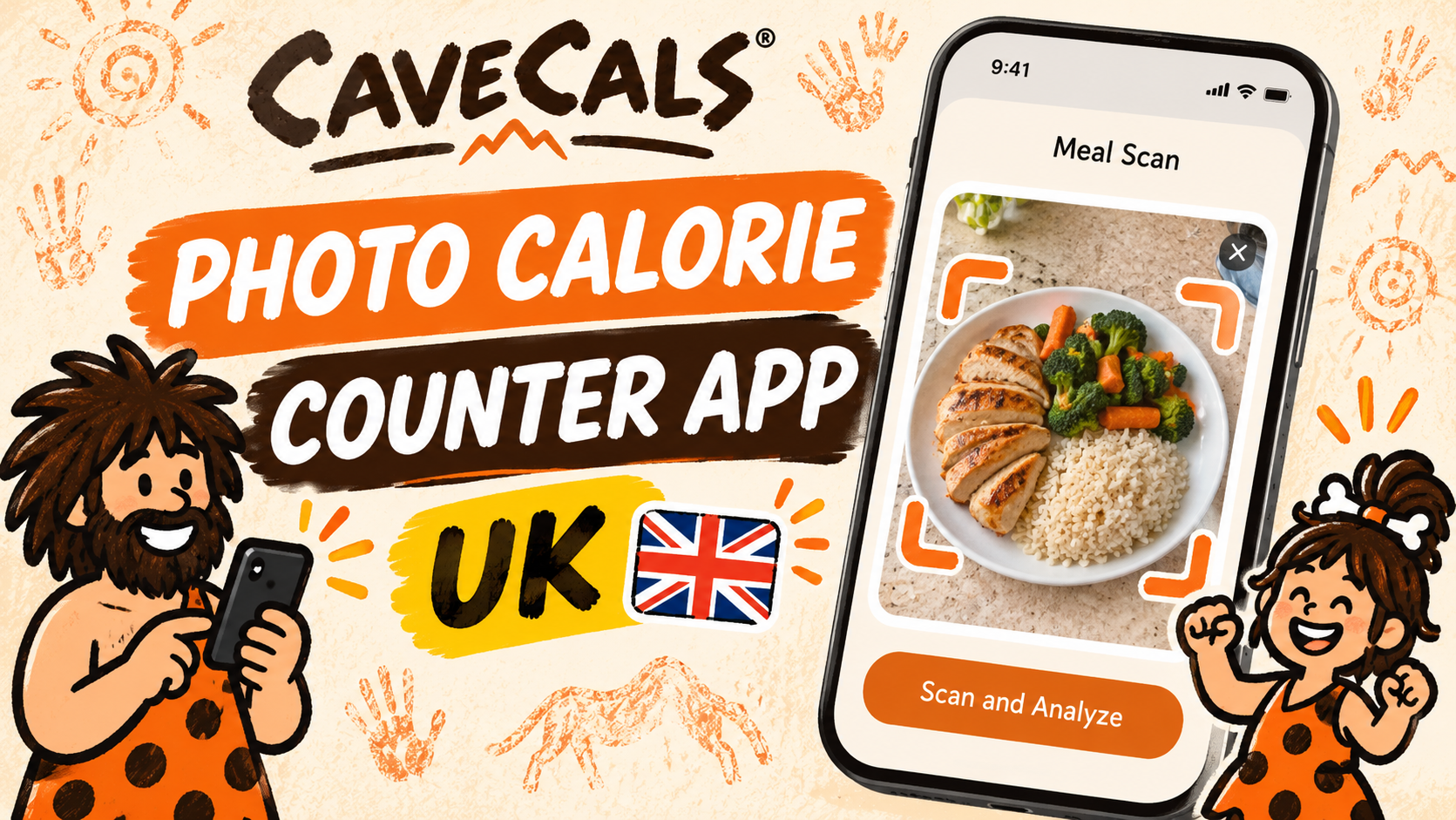
A photo calorie counter app lets you take a picture of your meal and estimates the foods, calories and macros for you. CaveCals’ Meal Scan is my pick: you get 10 free scans, every estimate is editable, and the rest of the app is free. Treat any photo estimate as a starting point and check the portion.
Last updated: 9 November 2026 · By Alan Spicer
Not medical advice. I share what has worked for me on GLP-1 medication and link the evidence. Talk to your GP or prescriber before changing your diet, medication or activity.
If you have, or have had, an eating disorder, speak to your GP before counting calories. Beat offers UK support.
Meal Scan in CaveCals has been a life changer for me. I take a picture of my meal and it identifies what’s on the plate, the calories and the macros. Here’s how photo calorie counting works, how accurate it is, and which apps let you try it free.
Why listen to me
I have been on GLP-1 medication since January 2024 and lost 7 stone in 18 months. I’m not a doctor or dietitian: I share what worked for me, what didn’t, and the evidence behind it. My day job is YouTube consulting, which you can read about on alanspicer.com.
⚡ QUICK ANSWER
The best photo calorie counter app for most UK users is CaveCals. Its Meal Scan identifies each food on your plate and gives an editable calorie and macro estimate, and new users get 10 free scans. The rest of the app, including barcode scanning, is free. Cave Cals+ costs £4.99 a month or £39.99 a year.
What is a photo calorie counter app?
A photo calorie counter app is a calorie tracker that estimates what you’ve eaten from a picture of your plate. The app’s AI identifies the foods, estimates the portions and works out the calories and macros, so you don’t have to search for each item.
Photo logging is quickest for home-cooked meals and restaurant plates that don’t have a barcode. For packaged food, scanning the barcode is still more accurate because it uses the label.
VIDEO
Why I started calorie counting after 18 months on GLP-1 medication.
Which photo calorie counter apps are available in the UK?
CaveCals, Cal AI, Lose It!, MyFitnessPal and MacroFactor all offer photo logging in the UK, but only CaveCals gives you free scans to try alongside a free core app. Here’s how they compare:
| App | Photo logging | Free version | Paid plan (UK App Store) |
|---|---|---|---|
| CaveCals | Meal Scan: 10 free, then Cave Cals+ | Yes, incl. barcode scanning | £4.99/month or £39.99/year |
| Cal AI | Core feature; results need a subscription | Plan-building only | £2.99–£37.00 range |
| Lose It! | Premium feature | Calorie tracking only | £9.99–£75.99 range |
| MyFitnessPal | Meal scan is Premium | Yes, with ads | £7.99–£15.99/month |
| MacroFactor | AI photo logging | No free tier | £8.49–£10.99/month |
Source: each app’s UK App Store listing and official site, checked 7 November 2026.
How does CaveCals Meal Scan work?
CaveCals Meal Scan works in three steps: snap your plate, review the editable estimate for each food, then add it to your day. You can change any portion before saving.
For me, Meal Scan has been a life changer. I take a picture of my meal and it identifies what’s on the plate, the calories and the macros. Once it’s logged, the meal shows on the Home screen with calories left and your protein, carbs and fat for the day.
You can also turn a Meal Scan into a saved meal, so a dinner you have every week becomes one tap next time.
Snap your next meal free
Every new CaveCals user gets 10 free Meal Scan and Voice Log analyses. Barcode scanning, search and the calorie plan are free for good.
Free on iPhone and Android. iPhone code ALANSPICER: one month free on the yearly plan.
How accurate are photo calorie counters?
Photo calorie counters are accurate enough to be useful but not exact. A 2023 systematic review of 52 studies found AI calorie estimates from food photos were off by between 0.10% and 38.3% compared with measured values.
What the research found: the review in Annals of Medicine compared fully automated AI methods with human assessors and ground truth such as weighed food. Errors for calories ranged from 0.10% to 38.3%, and the authors note that study methods varied too much to pool into one figure.
That range is why the review step matters. If an estimate looks too low for a big portion, bump it up. If a dish was cooked in a lot of oil or butter, add it.
What makes photo estimates go wrong?
Photo estimates go wrong most often on things the camera can’t see: cooking oil, butter, sauces under food and how deep a bowl is. Mixed dishes like curries and stews are harder than separate items on a plate.
| Hard for a photo | Why | What to do |
|---|---|---|
| Cooking oil and butter | Invisible once cooked | Add it as its own item |
| Sauces and dressings | Hidden under food or mixed in | Log the sauce separately |
| Deep bowls | Hard to judge depth from above | Adjust the portion up |
| Mixed dishes (curry, stew, pasta bake) | Ingredients overlap | Check each food it finds |
| Drinks | Milk, sugar and syrups don’t show | Log drinks by voice or search |
How do you get better results from a food photo?
You get better results by taking the photo from above in good light, with each food visible. Small habits make a big difference:
- Shoot from directly above, with the whole plate in frame.
- Separate foods a little if they’re piled up.
- Take the photo before you start eating.
- Add oils, butter and sauces yourself if you know they’re there.
- Use the barcode scanner instead for anything in a packet.
Is photo logging better than voice or barcode logging?
Photo logging is best for plates of food, voice logging for mixed meals you can describe, and barcode scanning for packaged food.
Voice Log is my favourite: I tell CaveCals what I had like I’m telling a friend, and it turns that into entries with calories and macros. Barcode scanning is free and takes the figures straight from the pack. Having all of them in one app means there’s always a fast option.
One app, four ways to log
CaveCals lets you snap, say, scan or type. Download it free, no account needed, and use whichever is fastest for each meal.
Free on iPhone and Android. iPhone code ALANSPICER: one month free on the yearly plan.
Who should use a photo calorie counter?
A photo calorie counter suits anyone who has given up on tracking because searching for every ingredient felt like homework. It’s especially handy for home-cooked meals and eating out.
If you’re on GLP-1 medication with a smaller appetite, a quick photo also makes it easier to check you’re eating enough protein. A calorie counter is a food diary, so it works alongside your plan rather than being part of any treatment. If you’re new to tracking, start with my beginner’s guide to counting calories.
How to test photo logging this week
- Download CaveCals and set a calorie plan
- Use your free Meal Scans on home-cooked dinners
- Check each estimate and adjust portions or add oil
- Scan barcodes for packaged food and compare how quick each method feels
People also ask
Is there an app where you take a picture of food and it tells you calories?
Yes. CaveCals, Cal AI, Lose It!, MyFitnessPal and MacroFactor all offer photo logging. CaveCals gives 10 free scans to new users, while most of the others put photo logging behind a subscription.
Is there a free photo calorie counter?
CaveCals gives every new user 10 free Meal Scan analyses, and the rest of the app (including barcode scanning) stays free. Most other photo apps need a subscription for photo logging.
How accurate are photo calorie apps?
They give estimates. A 2023 systematic review of 52 studies found AI calorie estimates from photos were off by between 0.10% and 38.3% compared with measured values, so check and adjust portions before saving.
Can a photo app tell how much oil is in food?
Not reliably. Oil, butter and sauces are hard to see in a photo, so add them yourself or adjust the estimate if you know a dish was cooked in a lot of fat.
Frequently asked questions
How does a photo calorie counter work?
You take a photo of your meal, the app’s AI identifies the foods and estimates portion sizes, then works out calories and macros from a food database. Good apps show each food separately so you can correct anything before saving.
Is CaveCals Meal Scan free?
New CaveCals users get 10 free Meal Scan and Voice Log analyses. After that, Meal Scan is part of Cave Cals+, which costs £4.99 a month or £39.99 a year on the UK App Store (checked 7 November 2026).
Does Cal AI have a free version?
Cal AI’s App Store listing says food scanning analysis results require a subscription. Its website offers a 3-day free trial.
Is photo logging better than barcode scanning?
They suit different food. Barcode scanning is more accurate for packaged food because it uses the label. Photos are quicker for home-cooked plates and restaurant meals that don’t have a barcode.
Can I edit a photo calorie estimate?
In CaveCals, yes: each food from a Meal Scan comes up as an editable estimate, so you can change portions before adding it. Check this before choosing any photo app.
Does the app keep my food photos?
In CaveCals, the AI only sees what you choose to scan, say or type, never your whole diary. Progress photos and weigh-ins stay on your phone and are never sent to the AI.
Do photo calorie apps work for UK food?
They identify common foods well, including British meals like roasts and fry-ups, but portion sizes and recipes vary. Checking the portion matters more than where the food is from.
Will a photo app help me lose weight?
A photo app makes logging quicker, and research links more frequent logging with more weight loss. It doesn’t do the work for you, but it removes a lot of the effort.
Final thoughts
The best photo calorie counter app for most people in the UK is CaveCals, because you can try Meal Scan free, every estimate is editable, and you’re not paying just to use the rest of the app.
Photo estimates aren’t perfect in any app, so check the portion and add hidden oils or sauces. Do that and photo logging is a quick way to track a home-cooked meal. Download CaveCals free and try your 10 free scans on this week’s dinners.
About Alan Spicer
I have been on GLP-1 medication since January 2024 and lost 7 stone in 18 months. I write about what works day to day: protein, calorie tracking, walking and side effects, with the evidence linked. I’m not a medical professional, so please speak to your GP before making changes. Away from this site I’m a YouTube consultant (alanspicer.com) and I film my progress on Alan Spicer is Losing It.
Related reading
- CaveCals Review UK (2026): The Calorie Counter I Use
- Best Calorie Tracker App UK (2026): Free and Paid Apps Compared
- Is CaveCals Free? What You Get Free vs Cave Cals+
- How to Use CaveCals: Set Up in 10 Minutes
- How to Count Calories for Beginners (UK Guide)
- Best MyFitnessPal Alternative UK (Free): 7 Apps Ranked
SNAP IT. SAY IT. SCAN IT. FIND IT.
The calorie counter I use
CaveCals is free to download with no account needed. Barcode scanning, search and Quick Add are free, and you get 10 free photo and voice logs to try.
Get it on iPhone Get it on Android
iPhone code ALANSPICER: one month free on the yearly plan. Calorie plans and AI results are estimates, not medical advice.
Sources: [1] Shonkoff E et al. AI-based digital image dietary assessment methods compared to humans and ground truth, Annals of Medicine 2023. [2] CaveCals on the UK App Store. [3] Cal AI on the UK App Store. [4] Lose It! on the UK App Store. [5] MyFitnessPal Premium (official). [6] MacroFactor on the UK App Store.
Disclosure: some links on this page are affiliate links (including CaveCals). If you sign up or buy, I may earn a commission at no extra cost to you. I only recommend what I use or would use. Programme terms change, so check current terms on each site.
Discover more from Healthy Weight Loss GLP1
Subscribe to get the latest posts sent to your email.